Wednesday, July 15, 2009

Using MySQL Providers with ASP.NET

MySQL Logo
I'm figuring out how to use MySQL with Visual Studio and ASP.NET. The first thing to install (besides MySQL Server) is the MySQL Connector for .NET, currently at version 6.0.4.
After installing this connector, you've all the .NET providers and entity framework stuff to go. One thing I should mention is that the .NET Connectors will install MySql providers which you can use in your website, MySql won't popup in the Express editions of Visual Studio. So you can't connect to a MySQL database with your server explorer with these versions.

So installing the MySQL connector on your server will modify the server's machine.config and add the provider config in it. Not installing the connector on your server means you need to configure the providers in the system.web section of the web.config of the site (and bin deploying the MySql dll's of course):

<membership defaultProvider="MySQLMembershipProvider">
<providers>
<remove name="MySQLMembershipProvider" />
<add connectionStringName="MySqlServer" enablePasswordRetrieval="false"
enablePasswordReset="true" requiresQuestionAndAnswer="true"
applicationName="/" requiresUniqueEmail="false" passwordFormat="Clear"
maxInvalidPasswordAttempts="5" minRequiredPasswordLength="7"
minRequiredNonalphanumericCharacters="1" passwordAttemptWindow="10"
passwordStrengthRegularExpression="" name="MySQLMembershipProvider"
type="MySql.Web.Security.MySQLMembershipProvider, MySql.Web, Version=6.0.4.0, Culture=neutral, PublicKeyToken=c5687fc88969c44d" />
</providers>
</membership>
<profile>
<providers>
<remove name="MySQLProfileProvider"/>
<add name="MySQLProfileProvider" type="MySql.Web.Profile.MySQLProfileProvider, MySql.Web, Version=6.0.4.0, Culture=neutral, PublicKeyToken=c5687fc88969c44d" connectionStringName="MySqlServer" applicationName="/" />
</providers>
</profile>
<roleManager defaultProvider="MySQLRoleProvider">
<providers>
<remove name="MySQLRoleProvider" />
<add connectionStringName="MySqlServer" applicationName="/" name="MySQLRoleProvider"
type="MySql.Web.Security.MySQLRoleProvider, MySql.Web, Version=6.0.4.0, Culture=neutral, PublicKeyToken=c5687fc88969c44d" />
</providers>
</roleManager>


These new providers need a connection string, so add to your connectionString section:

<connectionStrings>
<add name="MySqlServer" providerName="MySql.Data.MySqlClient" connectionString="server=mysql1;user id=webuser;password=xxxxxx;persist security info=True;database=website" />
</connectionStrings>

Next you need the schema. The docs will say they will be created automatically, but I didn't saw a single table created. By looking at the connector source code, I distilled the following script to create the schema in your database:

CREATE TABLE `my_aspnet_applications` (
`id` int(11) NOT NULL AUTO_INCREMENT,
`name` varchar(256) DEFAULT NULL,
`description` varchar(256) DEFAULT NULL,
PRIMARY KEY (`id`)
) ;

CREATE TABLE `my_aspnet_membership` (
`userId` int(11) NOT NULL DEFAULT '0',
`Email` varchar(128) DEFAULT NULL,
`Comment` varchar(255) DEFAULT NULL,
`Password` varchar(128) NOT NULL,
`PasswordKey` char(32) DEFAULT NULL,
`PasswordFormat` tinyint(4) DEFAULT NULL,
`PasswordQuestion` varchar(255) DEFAULT NULL,
`PasswordAnswer` varchar(255) DEFAULT NULL,
`IsApproved` tinyint(1) DEFAULT NULL,
`LastActivityDate` datetime DEFAULT NULL,
`LastLoginDate` datetime DEFAULT NULL,
`LastPasswordChangedDate` datetime DEFAULT NULL,
`CreationDate` datetime DEFAULT NULL,
`IsLockedOut` tinyint(1) DEFAULT NULL,
`LastLockedOutDate` datetime DEFAULT NULL,
`FailedPasswordAttemptCount` int(10) unsigned DEFAULT NULL,
`FailedPasswordAttemptWindowStart` datetime DEFAULT NULL,
`FailedPasswordAnswerAttemptCount` int(10) unsigned DEFAULT NULL,
`FailedPasswordAnswerAttemptWindowStart` datetime DEFAULT NULL,
PRIMARY KEY (`userId`)
) COMMENT='2';

CREATE TABLE `my_aspnet_profiles` (
`userId` int(11) NOT NULL,
`valueindex` longtext,
`stringdata` longtext,
`binarydata` longblob,
`lastUpdatedDate` timestamp NOT NULL DEFAULT CURRENT_TIMESTAMP ON UPDATE CURRENT_TIMESTAMP,
PRIMARY KEY (`userId`)
) ;


CREATE TABLE `my_aspnet_roles` (
`id` int(11) NOT NULL AUTO_INCREMENT,
`applicationId` int(11) NOT NULL,
`name` varchar(255) NOT NULL,
PRIMARY KEY (`id`)
) ROW_FORMAT=DYNAMIC;

CREATE TABLE `my_aspnet_schemaversion` (
`version` int(11) DEFAULT NULL
) ;

CREATE TABLE `my_aspnet_users` (
`id` int(11) NOT NULL AUTO_INCREMENT,
`applicationId` int(11) NOT NULL,
`name` varchar(256) NOT NULL,
`isAnonymous` tinyint(1) NOT NULL DEFAULT '1',
`lastActivityDate` datetime DEFAULT NULL,
PRIMARY KEY (`id`)
) ;

CREATE TABLE `my_aspnet_usersinroles` (
`userId` int(11) NOT NULL DEFAULT '0',
`roleId` int(11) NOT NULL DEFAULT '0',
PRIMARY KEY (`userId`,`roleId`)
) ROW_FORMAT=DYNAMIC;

INSERT my_aspnet_SchemaVersion (version) VALUES (4);


Finally, you can use the ASP.NET Configuration website to configure users. To get only the providers working, it took a whole blog post. The .NET connector for MySQL is still a little bit rough on the edges, but after figuring the above things out, it will work!

Friday, July 10, 2009

Combining XML documents into one big one with XInclude

I needed to figure out how to include transparently some xml documents into another xml last week. We store our site navigation in one XML, but due to a decentralized management of this file, I need to cut this navigation into different file parts.

For this, the W3C XInlude standard was developed. Unfortunately, there is still no support for this in the .NET Framework. The solution is the use the Mvp.Xml library from codeplex, which includes XInclude support. A strong point of XInclude is the fallback possibilities of this standard, so when the included file isn't present, the output is predictable.

With XInclude, a XML fragment can be included from the original document:

<topic name="External Topic" path="/external-topic" id="18442">
<xi:include href="../../external-topic/navigation.xml"
xmlns:xi="http://www.w3.org/2003/XInclude"
xpointer="xpointer(/navigation/*)">
<xi:fallback>
<subject name="Fallback Subject" pad="/external-topic/FB"
id="19672" />
</xi:fallback>
</xi:include>
</topic>


Where the included XML fragment will be:

<?xml version="1.0"?>
<navigation name="External Topic" path="/external-topic"
id="18442" xmlns:xi="http://www.w3.org/2001/XInclude">
<subject name="Poll" path="/external-topic/poll" id="19670" />
<subject name="Text" path="/external-topic/text" id="19671" />
<subject name="Links" path="/external-topic/links id="19672" />
</navigation>

While XInclude describes the format of the XML document, we still need a XInclude aware XmlReader. There is one within the Mvp.Xml package. The old XML reading code:

mXmlDoc = new XmlDocument();
mXmlDoc.Load(mXmlFile.FullName);

should be changed to:

mXmlDoc = new XmlDocument();
using (XmlReader reader = new XmlIncludingReader(mXmlFile.FullName))
{
mXmlDoc.Load(reader);
}

The resulting mXmlDoc document representations are equal in both situations. Only the XInclude result includes extra xml:base attributes.

The resulting XML is:

<code style="xml">
<topic name="External Topic" path="/external-topic" id="18442">
<subject name="Poll" path="/external-topic/poll" id="19670" xml:base="../../external-topic/navigation.xml" />
<subject name="Text" path="/external-topic/text" id="19671" xml:base="../../external-topic/navigation.xml" />
<subject name="Links" path="/external-topic/links id="19672" xml:base="../../external-topic/navigation.xml" />
</topic>

These xml:base attributes can be used to add extra CacheDependencies for the storage of the resulting XML document to the application cache, so the cache will be invalidated as one of the included XML documents change.

Monday, May 4, 2009

Cleanup artifacts in CC.Net with artifactcleanup

I got an email from the system admin that the CC.Net buildserver used a lot of diskspace. It turned out that I got 1000 buildlogs for one project on the server...

The solution was to configure a artifactcleanup in the cc.config. See the CC.Net documentation.

Saturday, May 2, 2009

Code generation for a COM wrapper assembly

For my last post, I needed some quick and dirty code generator. Basically, I've a COM Iterop assembly full with interfaces I need to wrap with a specified template.

The following code works, but still needed some handwork (like hand coding the ref parameters). Use it on your own risk ;)


using System;
using System.Collections.Generic;
using System.Text;
using System.Reflection;
using System.IO;

namespace CodeGeneration
{
class Program
{
static Dictionary<string, string> keywordType;

static void Main(string[] args)
{
FillKeywordType();

Assembly interop = Assembly.Load(@"Tridion.ContentManager.Interop.cm_tom");
foreach (Type t in interop.GetTypes())
{
//Console.WriteLine(t.Name);
if (t.Name.StartsWith("_"))
{
WriteOut(t, t.Name.Replace("_",string.Empty));
}
}
Console.ReadLine();
}

private static void FillKeywordType()
{

keywordType = new Dictionary<string, string>();
keywordType.Add("System.String", "string");
keywordType.Add("System.Void", "void");
keywordType.Add("System.Int32", "int");
keywordType.Add("System.DateTime", "DateTime");
keywordType.Add("System.Boolean", "bool");
keywordType.Add("System.Object", "object");
}

private static void WriteOut(Type t, string className)
{
Console.WriteLine("Info of {0}", t.Name);

using (StreamWriter writer = new StreamWriter(string.Format("D:\\Work\\DisposableOut\\{0}.cs", className) ))
{

WriteHeader(writer, className);


foreach (MethodInfo mi in t.GetMethods())
{
if (!(mi.Name.StartsWith("get_") || mi.Name.StartsWith("set_") || mi.Name.StartsWith("let_")))
{
string methodSig = string.Format("{1} {0}", mi.Name, GetTypeName(mi.ReturnType.Name, mi.ReturnType.Namespace));
bool isVoid = (GetTypeName(mi.ReturnType.Name, mi.ReturnType.Namespace)=="void");
List<string> parameters = new List<string>();
List<string> parameterNames = new List<string>();
foreach (ParameterInfo pi in mi.GetParameters())
{
parameters.Add(string.Format("{1} {0}", pi.Name, GetTypeName(pi.ParameterType.Name, pi.ParameterType.Namespace)));
parameterNames.Add(pi.Name);
}
string parameter = string.Join(", ", parameters.ToArray());

writer.Write(@"public {0} ({2})" + Environment.NewLine +
@" {{" + Environment.NewLine +
@" checkNotDisposed();" + Environment.NewLine +
@" {5}com{1}.{3}({4});" + Environment.NewLine +
@" }}" + Environment.NewLine + Environment.NewLine,
methodSig, className, string.Join(", ", parameters.ToArray()), mi.Name, string.Join(", ", parameterNames.ToArray()),
isVoid?string.Empty:"return ");
}
}

foreach (PropertyInfo pi in t.GetProperties())
{
writer.Write(@"public {0} {1} {{" + Environment.NewLine, GetTypeName(pi.PropertyType.Name, pi.PropertyType.Namespace), pi.Name);
if (pi.CanRead)
{
//get
writer.Write(@" get {{" + Environment.NewLine +
@" checkNotDisposed();" + Environment.NewLine +
@" return com{1}.{0};" + Environment.NewLine +
@" }}" + Environment.NewLine ,
pi.Name, className);
}
if (pi.CanWrite)
{
//set
writer.Write(@" set {{" + Environment.NewLine +
@" checkNotDisposed();" + Environment.NewLine +
@" com{1}.{0} = value;" + Environment.NewLine +
@" }}" + Environment.NewLine,
pi.Name, className);
}
writer.Write("}" + Environment.NewLine + Environment.NewLine);
}

WriteFooter(writer);
writer.Flush();
writer.Close();
}
}

private static string GetTypeName(string name, string nameSpace)
{
string typeName = string.Format("{0}.{1}", nameSpace, name);
if (keywordType.ContainsKey(typeName))
{
return keywordType[typeName];
}
return typeName;
}

private static void WriteFooter(StreamWriter writer)
{
writer.Write(@" #endregion" + Environment.NewLine +
@" }" + Environment.NewLine +
@"}" + Environment.NewLine);
}

private static void WriteHeader(StreamWriter writer, string className)
{
StringBuilder fileHeader = new StringBuilder();
fileHeader.AppendFormat(@"using System;{0}", Environment.NewLine);
fileHeader.AppendFormat(@"using System.Collections.Generic;{0}", Environment.NewLine);
fileHeader.AppendFormat(@"using System.Text;{0}", Environment.NewLine);
fileHeader.AppendFormat(@"using System.Runtime.InteropServices;{0}", Environment.NewLine);
fileHeader.AppendFormat(@"using Tridion.ContentManager.Interop.TDS;{0}", Environment.NewLine);
fileHeader.AppendFormat(@"{0}", Environment.NewLine);
fileHeader.AppendFormat(@"namespace DisposableTridion{0}", Environment.NewLine);
fileHeader.AppendFormat(@"{{{0}", Environment.NewLine);
fileHeader.AppendFormat(@" public class {1} : DisposableBase {0}", Environment.NewLine, className);
fileHeader.AppendFormat(@" {{{0}", Environment.NewLine);
fileHeader.AppendFormat(@" private Tridion.ContentManager.Interop.TDS.{1} com{1};{0}", Environment.NewLine, className);
fileHeader.AppendFormat(@"{0}", Environment.NewLine);
fileHeader.AppendFormat(@" public {1}(Tridion.ContentManager.Interop.TDS.{1} {2}){0}", Environment.NewLine, className, className.ToLower());
fileHeader.AppendFormat(@" {{{0}", Environment.NewLine);
fileHeader.AppendFormat(@" com{1} = {2};{0}", Environment.NewLine, className, className.ToLower());
fileHeader.AppendFormat(@" }}{0}", Environment.NewLine);
fileHeader.AppendFormat(@"{0}", Environment.NewLine);
fileHeader.AppendFormat(@" ~{1}(){0}", Environment.NewLine, className);
fileHeader.AppendFormat(@" {{{0}", Environment.NewLine);
fileHeader.AppendFormat(@" Dispose(false);{0}", Environment.NewLine);
fileHeader.AppendFormat(@" }}{0}", Environment.NewLine);
fileHeader.AppendFormat(@"{0}", Environment.NewLine);
fileHeader.AppendFormat(@" protected override void DisposeMembers(){0}", Environment.NewLine);
fileHeader.AppendFormat(@" {{{0}", Environment.NewLine);
fileHeader.AppendFormat(@" DisposableBase.ReleaseComObject(com{1});{0}", Environment.NewLine, className);
fileHeader.AppendFormat(@" }}{0}", Environment.NewLine);
fileHeader.AppendFormat(@"{0}", Environment.NewLine);
fileHeader.AppendFormat(@" #region _{1} Members{0}", Environment.NewLine, className);

writer.Write(fileHeader.ToString());
}
}
}

Friday, May 1, 2009

Disposing COM objects

The Tridion solutions at my current assignment are working great, but now and then the CM website freezes. After investigating the issue with Tridion customer support, there is a suspicion the Tridion COM objects freeze under memory load.
This load is generated because our custom solutions do not release the COM objects they use. So now the codebase should be recoded with this cleanup operation.

When you don't cleanup this code, the cleanup will be initiated by the .NET Garbage Collector (GC). But the GC isn't working continually, but will only be called under memory pressure.
Because COM objects aren't run under as managed code, the GC doesn't know how much memory is used by them. Therefore, waiting until the GC will cleanup your code can take a long time, especially because COM objects are small objects on the managed memory.

The pattern to use for cleaning up unmanaged resources is the IDisposable interface. So with this pattern, we can release a COM object after you're done with it by calling the Marshal.ReleaseComObject method.

Because the Tridion Object Model (TOM) has a lot of objects, I'm creating a managed wrapper assembly, where on each object I can implement the IDisposable interface. Besides the interface, I need some more plumbing, so the first class to create is an abstract DisposableBase class:

public abstract class DisposableBase : IDisposable
{
private bool disposed = false;

protected void checkNotDisposed()
{
if (this.disposed)
{
string message = "Object of type " + base.GetType().Name + " cannot be accessed because it was disposed.";
throw new ObjectDisposedException(base.GetType().Name, message);
}
}

public void Dispose()
{
if (!this.disposed)
{
this.Dispose(true);
}
GC.SuppressFinalize(this);
}

protected virtual void Dispose(bool disposing)
{
if (!this.disposed)
{
this.DisposeMembers();
}
this.disposed = true;
}

protected abstract void DisposeMembers();

public static void ReleaseComObject(object interopObject)
{
if (interopObject != null)
{
Marshal.ReleaseComObject(interopObject);
}
interopObject = null;
}
}


So I can use this base class in each wrapper class for TOM classes, like the Component class:

public class Component : DisposableBase
{
private Tridion.ContentManager.Interop.TDS.Component comComponent;

public Component(Tridion.ContentManager.Interop.TDS.Component component)
{
comComponent = component;
}

~Component()
{
Dispose(false);
}

protected override void DisposeMembers()
{
DisposableBase.ReleaseComObject(comComponent);
}

public void CheckIn(bool permanentLock)
{
checkNotDisposed();
comComponent.CheckIn(permanentLock);
}

_Component Members
}


So now it's perfectly safe to use the TOM to check in a component with the following code:

using (Component component = tdse.GetObject("tcm:8-123", EnumOpenMode.OpenModeView))
{
component.CheckIn(true);
}

Saturday, January 31, 2009

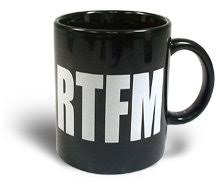
RTFM!


I'm going to be short on this. Microsoft 2008 Server R2 is 64-bit only. So there is no chance installing the beta will work on your 32-bit-guest-pc-only VPC. A pity for the wasted bandwidth...

Friday, January 30, 2009

MCTS WinForms 3.5

Just got the email:
Congratulations on earning your Microsoft Certified Technology Specialist: .NET Framework 3.5, Windows Forms Applications certification! We hope you enjoy the benefits of your certification and of membership in the Microsoft Certified Professional community.

Saturday, January 24, 2009

MCPD ASP.NET 3.5


After two months, I finally got the result of the beta exam for my MCPD ASP.NET 3.5 certification. I passed!
I am still waiting for two more exams from the beginning of December, but hopefully they will follow shortly!

Friday, January 16, 2009

Installing Windows 7

StartingW7I’ve installed Windows 7 last week. Unfortunately I hadn’t much time to play with it because we had a serious escalation on my work. The intranet server was performing badly, so I did a crash course performance counters for ASP.NET and now know that the caching service is an essential component for the Tridion Content Management system.

For improving ASP.NET Performance, the following articles helped:

InstallingW7

Monday, December 22, 2008

Analyzing Risk

Just read a great article about risk on MSDN. While evaluating risks in my daily job, it puts some things in context (like the top 10 project risks) .

Tuesday, December 16, 2008

Creating a configuration section

In general, a lot of application are using the appSettings section of a config file for storing application parameters. A major drawback of this practice, is the lack of prior knowledge about the format and default value of these parameters, so you need to program all this functionality yourself.
A better way to provide your application with configuration values, is the use of a configuration section. Instead of using the appSettings node, you can specify your own.
The key to your own configuration section is the System.Configuration namespace.
You write your own class, but should inherit ConfigurationSection.
Now you can spice up your properties in this class with the ConfigurationProperty attribute. Validation can be programmed with the attributes
  • IntegerValidatorAttribute
  • LongValidatorAttribute
  • RegexStringValidatorAttribute
  • StringValidatorAttribute
  • TimeSpanValidatorAttribute


For example:

public class TestConfigurationSection : ConfigurationSection
{
// Empty Construct
public TestConfigurationSection() { }

// default string property
[ConfigurationProperty("deliveryStore", IsRequired = true)]
public string DeliveryStore
{
get
{
return (string)this["deliveryStore"];
}
set
{
this["deliveryStore"] = value;
}
}
//uri types will work too
[ConfigurationProperty("serviceUrl", DefaultValue = "http://192.168.1.10/MessageService", IsRequired = false)]
public Uri ServiceUrl
{
get
{
return (Uri)this["serviceUrl"];
}
set
{
this["serviceUrl"] = value;
}
}

[ConfigurationProperty("timeOut", DefaultValue = "0:00:20")]
[TimeSpanValidator(MinValueString = "0:00:05", MaxValueString = "0:05:00", ExcludeRange = false)]
public TimeSpan TimeOut
{
get
{
return (TimeSpan)this["timeOut"];
}
set
{
this["timeOut"] = value;
}
}
}


To use this configuration section in your config, you need to add it to the configsections node, for instance:

<configSections>
<section name="testConfig" type="NJV.Utils.TestConfigurationSection, NJV.Utils"/>
</configSections>
<testConfig
deliveryStore="D:\Test"
serviceUrl="http://10.0.0.9/MessageService"
timeOut="0:00:20"
/>


Now you've the settings defined and validation setup. To read these values, you can use the following code:

TestConfigSection config = (TestConfigSection)System.Configuration.ConfigurationManager.GetSection("testConfig");
TimeSpan timeout = config.TimeOut;
string deliveryLocation = config.DeliveryStore;
Uri serviceLocation = config.ServiceUrl;


The only drawback here is, you should be sure to have a testConfig section defined in your config, and it should be of the correct type. So maybe there could be some type and null reference checking on line 1:

TestConfigSection config = System.Configuration.ConfigurationManager.GetSection("testConfig") as TestConfigSection;
if (config==null)
{
throw new ApplicationException("No configuration available");
}

Sunday, December 14, 2008

Certified SQL Server Developer

With the wave of beta exams the last month, I've earned three new certifications:
MCTS: SQL Server 2008, Database Development, MCTS: SQL Server 2008, Business Intelligence Development and Maintenance and MCITP: Database Developer 2008.

Quite funny the SQL Developer is under the MCITP certification brand, instead of the MCPD.

Thursday, October 16, 2008

Presentation on .NET 3.5

I did a presentation on .NET 3.5 last evening for my company. The presentation with demo code is posted on my SkyDrive. The presentation went well... I was a little bit nervous, but it went away quickly after I'd started.

I've made use of the demo pptPlex functionality from Office Labs. The version posted here, doesn't have these nice little extra's, but see the pptPlex website for more info about this tool. I didn't used pptPlex during the presentation the whole time... during the presentation I noticed I was presenting the wrong sheets, with old content on it. I changed back to normal presentation mode. Afterwards, I found the 'clear cache' under 'Learn more' to tidy up the cache and got the latest version of the sheets (but such a strange place for such an option).

Downloads

Thursday, October 9, 2008

PandP Cheat Sheet

A cheat sheet with all available patterns & practices has just been made available on Codeplex. It gives a grouped overview of all available p&p products.

Wednesday, October 8, 2008

Mount VHD in host OS

Just discovered... mounting a VHD is possible!


The registry should be edited with:

Windows Registry Editor Version 5.00

[HKEY_LOCAL_MACHINE\SOFTWARE\Classes\Virtual.Machine.HD]

[HKEY_LOCAL_MACHINE\SOFTWARE\Classes\Virtual.Machine.HD\shell]
@="Mount"

[HKEY_LOCAL_MACHINE\SOFTWARE\Classes\Virtual.Machine.HD\shell\Dismount]

[HKEY_LOCAL_MACHINE\SOFTWARE\Classes\Virtual.Machine.HD\shell\Dismount\command]
@="\"C:\\Program Files\\Microsoft Virtual Server\\Vhdmount\\vhdmount.exe\" /u \"%1\""

[HKEY_LOCAL_MACHINE\SOFTWARE\Classes\Virtual.Machine.HD\shell\Mount]

[HKEY_LOCAL_MACHINE\SOFTWARE\Classes\Virtual.Machine.HD\shell\Mount\command]
@="\"C:\\Program Files\\Microsoft Virtual Server\\Vhdmount\\vhdmount.exe\" /p \"%1\""

[HKEY_CLASSES_ROOT\.vhd]
@="Virtual.Machine.HD"

Monday, October 6, 2008

Code Review Checklist for ASP.NET

I'm supposed to do a code review for an externally developed ASP.NET application on my job this week. I'm posting here some guidance to perform this review.
The goal of the review should be
  • The code satisfies the requirements
  • The code is robust (ie stable and should be descriptive in case of error)
  • The code handles wrong inputs (SQL/XSS Injection!)
  • The code is scalable
  • The code is extensible and maintainable
(free to Zysman).

Microsoft has a couple of checklists about these topics (unfortunately for .NET 1.1). Useful are: Securing ASP.NET, Security Review for Managed Code and Code Review for .NET Application Performance. And just found the guide for the .NET 2.0 version: How To: Perform a Security Code Review.

Monday, August 18, 2008

Filter tripple Gmail Starred items from Outlook 2007 To-Do List

I love Outlook 2007 and the integration of flagged mail, tasks and other items. I read my Gmail with the IMAP connector. One drawback is that Starred items will show up in your T-Do list as Flagged items. Well, I can live with that, but actually they show up three times. One time as a mail item in my Inbox, one time in the Starred folder, and one time in the All Mail folder.
Hey, I know I've got a lot to do, but this view isn't workable.

The solution is to right click the list, and choose 'Customize Current View...', there you can change the filter for the view, and in the Advanced tab you say, don't show items where the In Folder contains Starred or All Items.
The stupidity of the standard filter is that the two statements two aren't combined with the OR specifier... hey, that's first grade logica. So switch to SQL tab, ignore the message about not being able to use the other three tabs anymore, and change the OR in an AND...

Problem solved.

Saturday, July 19, 2008

First 3.5 Certifications

MCTS: Framework 3.5, ASP.NET Development Logo
Last week I had finaly the results of my beta exam 70-562 for the MCTS ASP.NET 3.5 certificiation. Microsoft let me know that I have passed the exam! So it is my first VS2008 certificate.
Update:I also had a mail two days later I succeeded in the beta ADO.NET 3.5 exam. That's two down, still four to go ;)

Friday, July 11, 2008

Backup your files with WinRar

A while ago (actualy, three and a half years), I've made a backupscript with winrar.  With these four files and your windows task scheduler, you've a full featured backup system, producing rar-files per run. The incremental version makes use of the archive flag of the filesystem. The full backup justs proces all the files. Backuplist.txt contains a list of all the folders to include. Exludefile.txt contains all the folders inside the included folders to exclude.

Incremental.cmd

"c:\program files\winrar\winrar.exe" a -ac -ao -ep2 -os -ow -IBCK -inul -r -agYY-MM-DD -x@B:\backup\excludefile.txt B:\backup\incremental- @B:\backup\backuplist.txt
REM -ac clear archive flag on files
REM -ao for archive flag only files
REM -ag[format] to include date in filename
REM -ep2 Store full file paths
REM -OS - save NTFS streams
REM -OW - process file security information

Full.cmd

"c:\program files\winrar\winrar.exe" a -ac -ep2 -os -ow -r -IBCK -inul -agYY-MM-DD -x@B:\backup\excludefile.txt B:\backup\full- @B:\backup\backuplist.txt
REM -ac clear archive flag on files
REM -ag[format] to include date in filename
REM -ep2 Store full file paths
REM -OS - save NTFS streams
REM -OW - process file security information

backuplist.txt

D:\Data
D:\My Documents
C:\Documents and Settings\User\StartMenu
C:\Documents and Settings\User\Desktop
C:\Documents and Settings\User\Application Data\Mozilla

excludefile.txt

C:\Documents and Settings\User\Application Data\Mozilla\Firefox\Profiles\default.xyz\Cache

Wednesday, July 2, 2008

Compiling documents the OpenXML way

Today, I've got a RFC about the automatically generation of a document. De document should be a write-out of a thesaurus, which is contained in a SQL database. It should run server-sided, and should produce the document with the ease of a push of the button.
Besides the standard list of words, the document should contain page-numbers. In the past, this was done by writing out html, saving the document with the .doc extension and pushing the file with the right MIME headers. But with this approach, insertion of page numbers on each page is quite a burden (if possible at all)... so enter OpenXML.

The other scenario, using mail-merge functionality, isn't used. I want the merge takes place on the server, not on the client.

The code here is just programming with XML and the System.IO.Packaging namespace, introduced in .NET 3.0. I still haven't tried the OpenXML SDK, so you should know what you're doing with adding XML fragments and their relations into the package.
The solution is quite straightforward, and it won't be difficult to expand this to your own needs.

We start by referencing the System.IO.Packaging namespace. It is delivered in the WindowsBase GAC dll. Add a reference to the WindowsBase and you can build your own Package from scratch:

private void Load(string documentPath)
{
Package pkgOutputDoc = null;
pkgOutputDoc = Package.Open(@"c:\work\test.docx", FileMode.Create, FileAccess.ReadWrite);
Uri uri = new Uri("/word/document.xml", UriKind.Relative);
PackagePart partDocumentXML = pkgOutputDoc.CreatePart(uri,
"application/vnd.openxmlformats-officedocument.wordprocessingml.document.main+xml");

StreamWriter streamStartPart = new StreamWriter(partDocumentXML.GetStream(FileMode.Create, FileAccess.Write));
XmlDocument xdoc = new XmlDocument();
xdoc.Load(@"C:\work\document.xml");
FillDocument(xdoc);
xdoc.Save(streamStartPart);
streamStartPart.Close();
pkgOutputDoc.Flush();

pkgOutputDoc.CreateRelationship(uri, TargetMode.Internal,
"http://schemas.openxmlformats.org/officeDocument/2006/relationships/officeDocument",
"rId1");
pkgOutputDoc.Flush();
pkgOutputDoc.Close();
}


I've added all the xml fragments I've used as embedded resources to my dll, so it is quite easy for me to version and deploy this solution. The added document.xml, the main content of my docx file, is expanded by generating custom xml, based on the database content.
I've read my database content into a dictionary, and I'm generating the xml based on each keyword in my database.

<w:p>
<w:r>
<w:t>Term</w:t>
</w:r>
<w:r>
<w:br />
</w:r>
<w:r>
<w:tab />
<w:t>SN</w:t>
</w:r>
<w:r>
<w:tab />
<w:t>scope note for Term</w:t>
</w:r>
<w:r>
<w:br />
</w:r>
<w:r>
<w:tab />
<w:t>UF</w:t>
</w:r>
<w:r>
<w:tab />
<w:t>Term B</w:t>
</w:r>
<w:r>
<w:br />
</w:r>
<w:r>
<w:tab />
<w:t>RT</w:t>
</w:r>
<w:r>
<w:tab />
<w:t>Term C</w:t>
</w:r>
<w:r>
<w:br />
</w:r>
</w:p>

This xml fragment is built by the following code

private void FillDocument(XmlDocument xdoc)
{
XmlNamespaceManager nsMgr = new XmlNamespaceManager(new NameTable());

string wNamespace = "http://schemas.openxmlformats.org/wordprocessingml/2006/main";
nsMgr.AddNamespace("w", wNamespace);

XmlNode wBody = xdoc.SelectSingleNode("/w:document/w:body", nsMgr);
//begin inserting at the last defined paragraph
XmlNode lastParagraph = xdoc.SelectSingleNode("/w:document/w:body/w:p[last()]", nsMgr);

Dictionary<string, List<RelatedKeyword>> thesaurus = ThesaurusList.GetThesaurus();

foreach (string keyword in thesaurus.Keys)
{
XmlElement thesaurusTerm = xdoc.CreateElement("w", "p", wNamespace);
wBody.InsertAfter(thesaurusTerm, lastParagraph);
lastParagraph = thesaurusTerm;

XmlElement thesaurusRterm = xdoc.CreateElement("w", "r", wNamespace);
XmlElement thesaurusText = xdoc.CreateElement("w", "t", wNamespace);
XmlElement thesaurusRbreak = xdoc.CreateElement("w", "r", wNamespace);
XmlElement thesaurusBreak = xdoc.CreateElement("w", "br", wNamespace);

thesaurusText.InnerText = keyword;

thesaurusTerm.AppendChild(thesaurusRterm);
thesaurusRterm.AppendChild(thesaurusText);

thesaurusTerm.AppendChild(thesaurusRbreak);
thesaurusRbreak.AppendChild(thesaurusBreak);

foreach (RelatedKeyword relatedKeyword in thesaurus[keyword])
{
XmlElement termTypeR = xdoc.CreateElement("w", "r", wNamespace);
XmlElement termDescriptionR = xdoc.CreateElement("w", "r", wNamespace);
XmlElement termBreakR = xdoc.CreateElement("w", "r", wNamespace);
XmlElement termTypeT = xdoc.CreateElement("w", "t", wNamespace);
XmlElement termTypeTab = xdoc.CreateElement("w", "tab", wNamespace);
XmlElement termDescriptionT = xdoc.CreateElement("w", "t", wNamespace);
XmlElement termDescriptionTab = xdoc.CreateElement("w", "tab", wNamespace);
XmlElement termBreak = xdoc.CreateElement("w", "br", wNamespace);


termTypeT.InnerText = relatedKeyword.Relation;
termDescriptionT.InnerText = relatedKeyword.Keyword;

thesaurusTerm.AppendChild(termTypeR);
termTypeR.AppendChild(termTypeTab);
termTypeR.AppendChild(termTypeT);

thesaurusTerm.AppendChild(termDescriptionR);
termDescriptionR.AppendChild(termDescriptionTab);
termDescriptionR.AppendChild(termDescriptionT);

thesaurusTerm.AppendChild(termBreakR);
termBreakR.AppendChild(termBreak);

}
}

}


Now I need to add different xml fragments to the package. The XML fragments for settings, footer and styles are added with this generic function.

AddPart(pkgOutputDoc, uri, partDocumentXML,
"application/vnd.openxmlformats-officedocument.wordprocessingml.settings+xml",
"http://schemas.openxmlformats.org/officeDocument/2006/relationships/settings",
"rId2",
"/word/settings.xml",
"settings.xml");

/// <summary>
/// Adds the part from an embedded XML to the Package.
/// </summary>
/// <param name="package">The package.</param>
/// <param name="documentUri">The document URI.</param>
/// <param name="partDocumentXML">The part document XML.</param>
/// <param name="contentType">Type of the content.</param>
/// <param name="relationshipType">Type of the relationship.</param>
/// <param name="relationId">The relation id.</param>
/// <param name="partPath">The part path.</param>
/// <param name="embeddedFile">The embedded file.</param>
private void AddPart(Package package, Uri documentUri, PackagePart partDocumentXML,
string contentType, string relationshipType, string relationId, string partPath,
string embeddedFile)
{
XmlDocument xdoc = new XmlDocument();
Uri uriPart = new Uri(partPath, UriKind.Relative);
PackagePart part = package.CreatePart(uriPart, contentType);
Uri relativePartUri =
PackUriHelper.GetRelativeUri(documentUri, uriPart);
Stream contentStream = GetEmbeddedXml(embeddedFile);
xdoc.Load(contentStream);
contentStream.Close();
xdoc.Save(part.GetStream());
partDocumentXML.CreateRelationship(relativePartUri, TargetMode.Internal, relationshipType, relationId);
}


The footer can contain the page number by using this xml:

<?xml version="1.0" encoding="UTF-8" standalone="yes"?>
<w:ftr xmlns:w="http://schemas.openxmlformats.org/wordprocessingml/2006/main">
<w:p>
<w:pPr>
<w:jc w:val="right"/>
</w:pPr>
<w:fldSimple w:instr=" PAGE \* MERGEFORMAT ">
<w:r>
<w:t>1</w:t>
</w:r>
</w:fldSimple>
</w:p>
</w:ftr>